BIM cost depends on many factors. Project complexity and Level of Development (LOD) are the two strongest factors. Good planning needs a clear view of both. This helps teams set budgets and choose the right workflow.
What LOD Means for Cost?
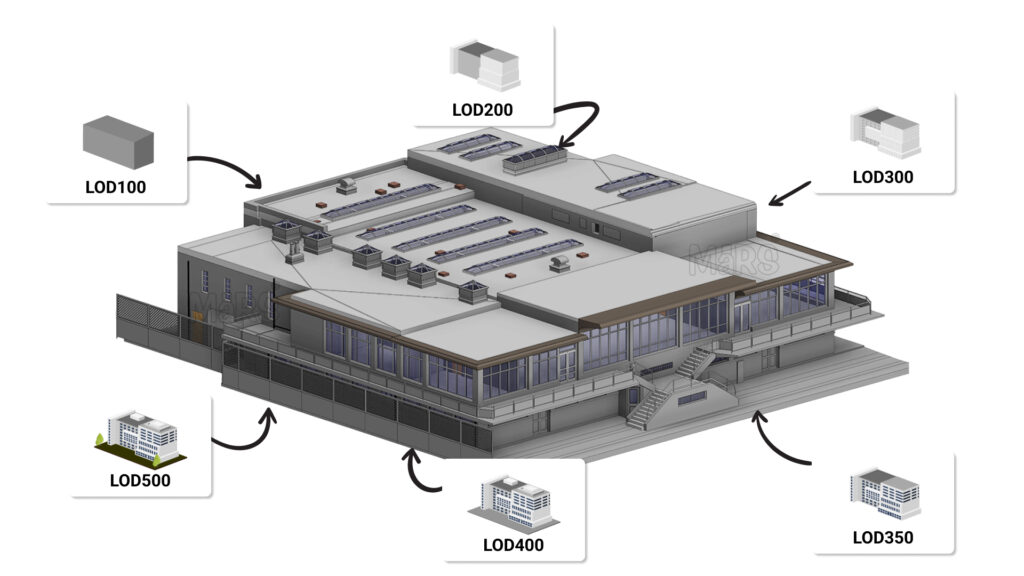
Level of Detail/Development (LOD) shows how much detail a BIM model must carry. Each level adds more information. Each step needs more time and skill. This pushes cost higher at every stage.
LOD 100–200
These levels support early design. The model shows only mass and rough shapes. The team uses this for quick studies and early cost checks. Work stays fast. Cost stays low.
LOD 300
This level gives true size, shape, and location. Teams use it for coordination. Schedules and cost plans improve. This level needs more work. Cost moves to a mid-range point.
LOD 350–400
These levels add fabrication detail. The model shows fittings, hangers, sleeves, and cut sheets. The work needs skilled modelers. The cost rises fast. These levels support direct shop drawings.
LOD 500
This level gives as-built data. Each element matches the installed condition. Teams check and confirm data on-site. This creates the highest cost.
Why LOD Matters?
A LOD 200 concrete model gives rough quantities. A LOD 300 architectural model needs wall types and materials. A LOD 400 duct model shows every cut for installation. Right LOD selection saves time. Wrong LOD selection causes delays and rework.
How Project Complexity Drives BIM Cost?
Complexity has a strong effect on cost. Complex projects need more work, more people, and more checks.
Project Type
An office building needs fewer details. A hospital or an industrial facility needs more detail. These buildings carry dense systems. They need constant coordination.
MEP Systems
Mechanical, electrical, and plumbing systems add weight to modeling. Dense layouts increase clashes. This creates more coordination cycles. Cost rises with each cycle.
Project Scale
Large buildings need more modeling hours. More floors and more rooms add pressure on the BIM team. This pushes cost upward.
Architectural Shape
Simple shapes need less work. Curved forms and custom designs need more detail. This adds more modeling effort. Cost grows with every unique feature.
Why Complexity Matters
High-complexity projects get faster ROI. BIM reduces clashes and site errors. This saves cost during construction.
Project Complexity and LOD vs Cost
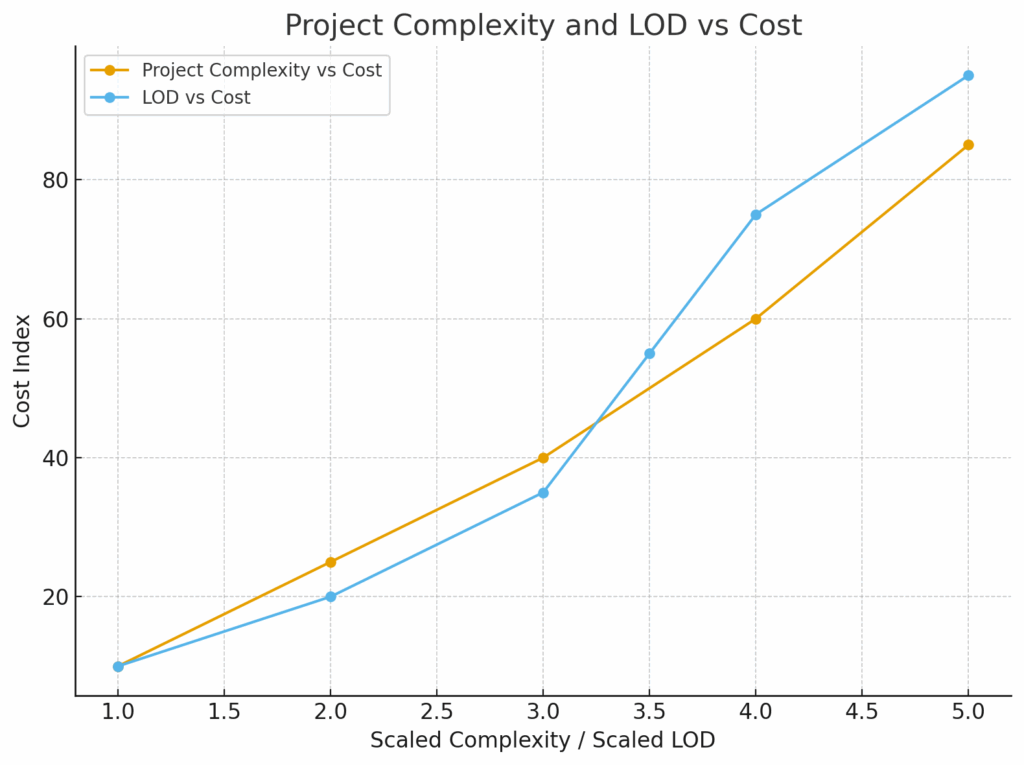
The chart below shows how cost rises with higher complexity and higher LOD. The lines show clear upward movement as detail and complexity increase.
Cost Structure in BIM
Teams use many pricing methods. These create flexibility for different project types.
- Cost per square foot
- Percentage of construction cost
- Linear foot rates for MEP modeling
- Cost per deliverable
- Phase-based pricing
Key cost drivers include software licenses in the $2,000–$6,000 range per user per year. Strong workstations also add cost. Training adds more cost.
ROI View
Design phase cost increases with BIM. Construction cost decreases because BIM reduces errors. Operation teams gain long-term value. They use BIM for maintenance and energy planning. Healthcare, high-rise, and infrastructure projects get the best ROI because of high system density.